


Photography Course · RAW Workflows
RAW Workflows Compared: Capture One or Adobe Bridge / Lightroom Classic?
RAW converters have changed significantly. Previously, the focus was primarily on image quality, sharpness, color correction, export, and data management. Today, they also include AI functions, automatic masks, noise reduction, sharpening, culling, cloud workflows, and external tools like Aftershoot or Topaz AI.
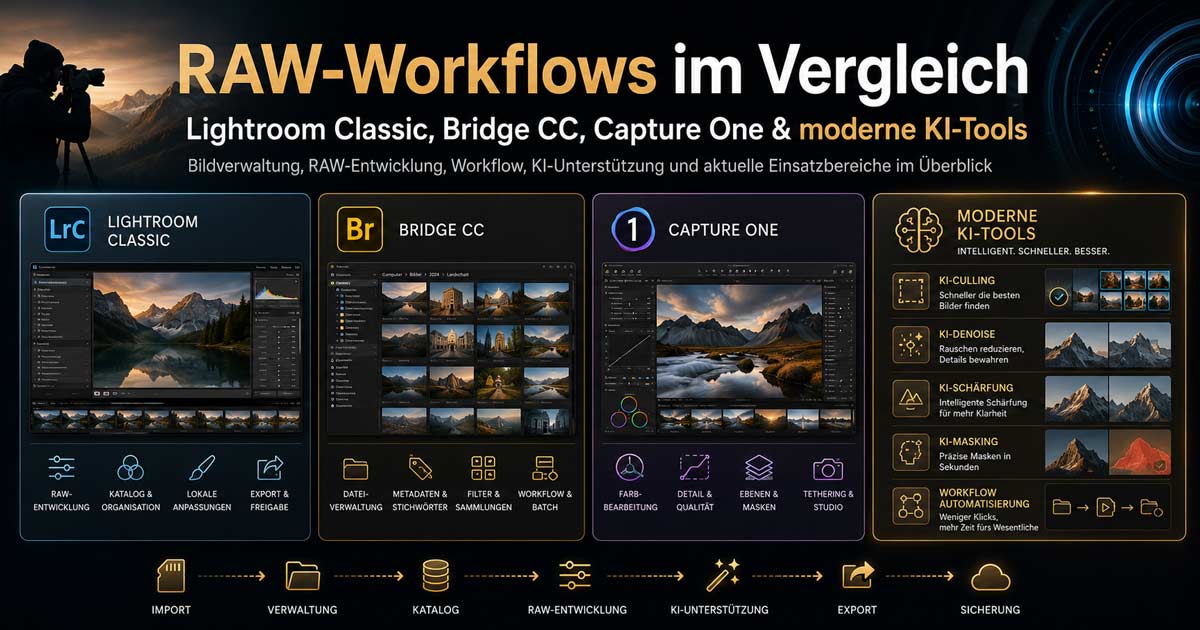
Individual courses on Capture One, Adobe Bridge, and Lightroom Classic have been combined into a compact comparison of modern RAW workflows. The aim is not to present one program as the sole correct solution, but to help users find the ideal workflow for their specific needs.
Table 1: Capture One vs. Adobe Bridge / Lightroom Classic
| Category | Capture One | Adobe Bridge / Lightroom Classic |
|---|---|---|
| Core Concept | Professional RAW converter with a strong focus on image quality, color, studio workflow, and customizable user interface. | Adobe workflow for management, RAW development, Photoshop integration, and broad compatibility. Bridge is file-based, Lightroom is catalog-based. |
| Image Quality | Very strong RAW development, especially for sharpness, detail rendering, colors, and skin tones. Remains very attractive for many studio, product, and professional photographers. | Very good and reliable quality. Bridge and Lightroom use Adobe Camera Raw and therefore deliver very similar development results. |
| Management | Supports sessions and catalogs. Especially well-suited for project-based jobs, studios, client folders, and streamlined production workflows. | Lightroom is particularly strong for catalogs, keywording, search, collections, and long-term archiving. Bridge is simpler, more direct, and works directly at the file level without a catalog. |
| Usability | Highly customizable. Workspaces, tools, tabs, and export processes can be extensively personalized. This makes it more complex initially. | Lightroom is quicker to understand for many photographers. Bridge is clear and straightforward if you prefer working with folders and already use Photoshop. |
| Colors and Skin Tones | Very strong in color editing, skin tones, color editor, color balance, and look development. | Very good, especially with masks, profiles, presets, and tight Adobe integration. Fully sufficient for many use cases. |
| Local Adjustments / Masks | Powerful, precise, and professional. | Lightroom has significantly caught up with AI masks, subject/sky/person detection, and automatic selection tools, often offering the more convenient AI workflow today. |
| AI Features | Good modern tools, but overall less integrated into the Adobe AI ecosystem. | Lightroom / Adobe currently offers better integrated AI capabilities, especially for masking, selection, retouching, noise reduction, and generative functions. |
| Aftershoot Complement | Can generally be integrated into workflows, but is typically more geared towards Lightroom-oriented photographers. | Major plus point: Aftershoot complements Lightroom very well for AI culling, pre-selection, ratings, and AI editing. Particularly interesting for weddings, events, portrait series, and large image volumes. |
| Export | Very strong. Multiple export variants, output formats, and recipes can be meticulously prepared. | Lightroom offers solid export functions. Bridge is very flexible in conjunction with Photoshop, Camera Raw, and batch processing. |
| Photoshop Integration | Possible, but not as seamless as within the Adobe system. | Significant advantage. Bridge, Lightroom, Camera Raw, and Photoshop integrate excellently. |
| Price / License | Rather high-priced. Subscription and purchase/perpetual models are available; changes and price increases should be checked before purchase. | Bridge itself is available for free. Lightroom / Photoshop run on Adobe subscriptions. For many, the Photography Plan is economically attractive despite the subscription model, as Photoshop can be included. |
| Ideal For | Studio, product, advertising, demanding color looks, tethered shooting, project-based professional photography. | Photographers with large archives, Photoshop workflow, AI support, Aftershoot integration, training, general RAW processing, and mixed media production. |
Table 2: Modern Enhancements with AI, Automation, and External Tools
| Tool / Category | Benefit in a Modern Workflow |
|---|---|
| Lightroom Classic + Adobe AI | Very strong for automatic masks, person, subject, and sky detection, AI noise reduction, retouching, and fast selective editing. This has made Lightroom significantly more attractive for many photographers than before. |
| Adobe Bridge + Camera Raw | Ideal for anyone who prefers to work without a catalog. Very good for quick viewing, renaming, metadata, Photoshop handover, and file-based workflows. RAW development largely corresponds to the Adobe workflow in Lightroom. |
| Capture One | Still strong in quality, color, sharpness, studio work, and individual workflows. Interesting for professionals when maximum control and look development are more important than Adobe AI and the plugin ecosystem. |
| Aftershoot | Very good complement to Lightroom. Saves time with image selection, duplicates, blurry images, closed eyes, and large series. Particularly useful for weddings, events, families, schools, sports, and portrait sessions. |
| Topaz AI | Useful for special cases such as noise reduction, sharpening, and upscaling. Particularly interesting when old photos, high ISO values, slight blur, or large print formats need optimization. |
| Photoshop | Remains the best complement for retouching, compositing, layers, complex masks, generative editing, print data, and final image montages. |
| Custom Software / Automation | For professional workflows, custom tools are becoming increasingly important: renaming, export variants, metadata, web sizes, SEO data, client delivery, WordPress import, CRM integration, and automated publications. |
| AI Search and Data Preparation | Modern image archives benefit not only from beautiful editing but also from good data: titles, descriptions, alt text, keywords, people, locations, projects, client references, and publication rights. |
Brief Conclusion
Capture One remains a very powerful RAW converter for quality, color, studio work, and project-based professional tasks. Those seeking maximum control and a customized workflow should continue to test Capture One.
However, Adobe Bridge and Lightroom Classic are significantly stronger today than before. Bridge impresses with its direct file-based workflow without a catalog, while Lightroom excels with its management features, AI functions, presets, masks, plugin integration, and excellent complement from Aftershoot.
For many photographers, the question today is no longer: "Which RAW converter is the best?" but rather: "Which workflow saves me time, consistently delivers good quality, and optimally prepares my images for clients, websites, print, social media, and archives?"
Questions about your RAW workflow?
In our VHS courses and workshops, we cover the programs in a practical way – from import to export for web and print.