

AI Image Retouching
AI Image Editing
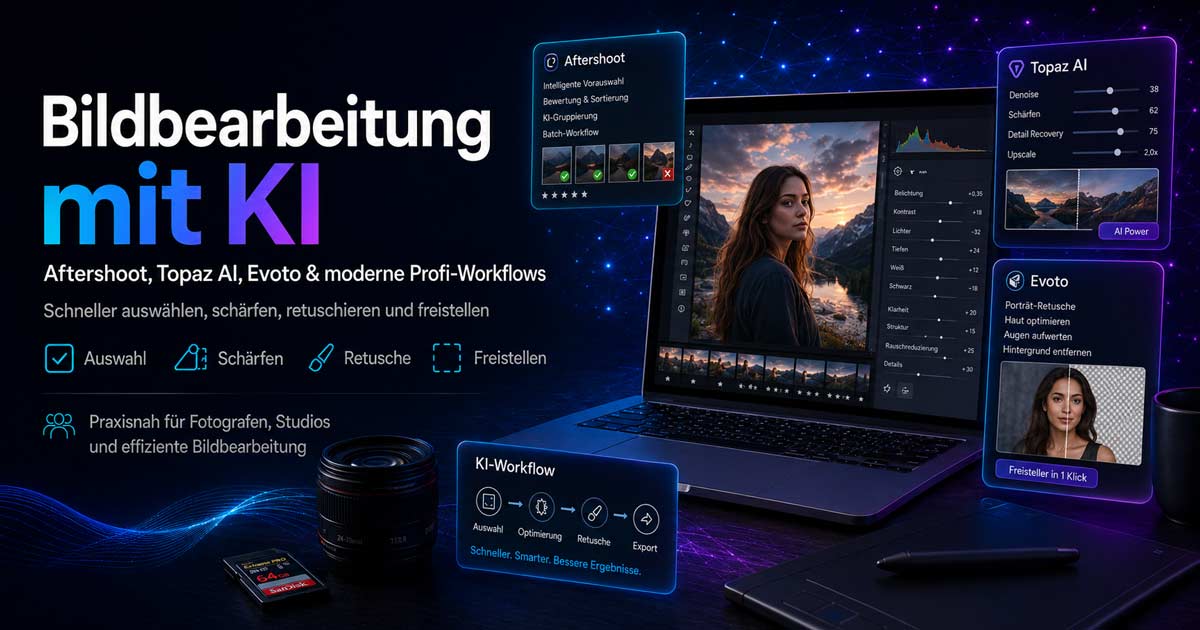
Aftershoot, Topaz AI, and Evoto significantly accelerate modern image editing. This page demonstrates how AI makes image selection, sharpening, noise reduction, retouching, and cutouts considerably more efficient – ideal for photographers, studios, and anyone aiming for high quality in less time.
Your AI Photography Specialist
Johann Dirschl
AI is transforming professional image editing
Many steps that previously required extensive manual work can now be implemented faster and often more consistently. The focus is on: Aftershoot (Culling & Workflow), Topaz AI (Sharpness, Noise, Quality), and Evoto (Retouching & Cutouts).
Additionally: Photoshop for Photography & AI and AI for Images, Language & Video.
Why AI is so important in image editing today
After shooting, the process involves culling, selection, noise reduction, sharpening, retouching, cutouts, and export. The larger the image volume, the more significantly the workflow impacts quality and efficiency.
- Pre-sort images and apply styles
- Retouch skin, create background cutouts
- Reduce noise, upscale details
- Process series consistently – significantly faster
AI doesn't replace the photographer – it accelerates them
Good images still result from light, vision, timing, and technique. AI helps turn good images into excellent results faster – especially for recurring tasks.
Aftershoot – AI for selection and editing workflow
Analyze large volumes of images, filter out blurry shots and duplicates, apply editing styles to series. Ideal for weddings, events, reportage, and consistent looks.
- faster image selection and less culling work
- consistent style across many images
- efficient entry into the RAW workflow
Aftershoot is primarily about speed and structure, less about classic individual retouching.
Topaz AI – Sharpness, noise reduction, and quality
Specialized in technical enhancement: Denoise, sharpening, detail improvement, upscaling. Especially useful for high ISO, low light, or older shots.
Interesting for available light, sports, nature, astro, print preparation, and high-resolution portfolio images.
Evoto – fast retouching and cutouts
Strong in portrait, beauty, and cutouts – often significantly faster than manual Photoshop work for skin, face, background, and series with similar subjects.
- Skin retouching and facial optimization
- Clean cutouts in a short time
- Portrait enhancement for large series
What can AI do better than Photoshop alone?
Photoshop remains unbeatable for maximum control, compositing, and complex layer techniques. AI-specialized tools are often faster for clearly defined mass tasks:
- automatic selection of large series
- fast portrait retouching and cutouts
- AI sharpening and noise reduction
- consistent processing of many images
Powerful combination: RAW converter + AI specialized tools + Photoshop for fine-tuning.
A modern professional workflow
- Import and cull images
- Accelerate selection with Aftershoot
- Prepare RAW development
- Technical optimization with Topaz AI
- Portrait retouching or cutouts with Evoto
- Fine-tuning or special cases in Photoshop
- Export for web, clients, or print
The process becomes faster and more scalable – especially under time pressure.
Who is this particularly interesting for?
- Photographers, portrait and wedding photographers, event & reportage
- Image editors, agencies, studios, companies with image needs
- Ambitious hobby photographers looking to modernize
Individual support instead of a rigid course
Workflows and image styles vary greatly – which is why individual consultation or tailored training is often more sensible:
- which tool for which task
- combination of Aftershoot, Topaz AI, Evoto
- when Photoshop remains the better choice
- quality, speed, and economic workflow
Goal of this page
AI has long been standard in professional image editing – not just for gimmicks, but for real productivity. Aftershoot, Topaz AI, and Evoto demonstrate how quality and speed go hand in hand.
We are happy to share this knowledge – practical, understandable, and tailored to your needs.
AI Image Editing – Consultation or Training
Workflow analysis, tool recommendations, or hands-on work with your images – contact us for a suitable offer.