
Graphics and Design
Photoshop for Photography, Image Editing & AI
A modern Photoshop course for photographers and creatives: RAW workflow, Camera Raw, Bridge, layers, masks, retouching, cropping, Smart Objects, export, and current AI functions like Generative Fill, Generative Expand, and AI-powered image corrections.
Your Image Specialist
Johann Dirschl
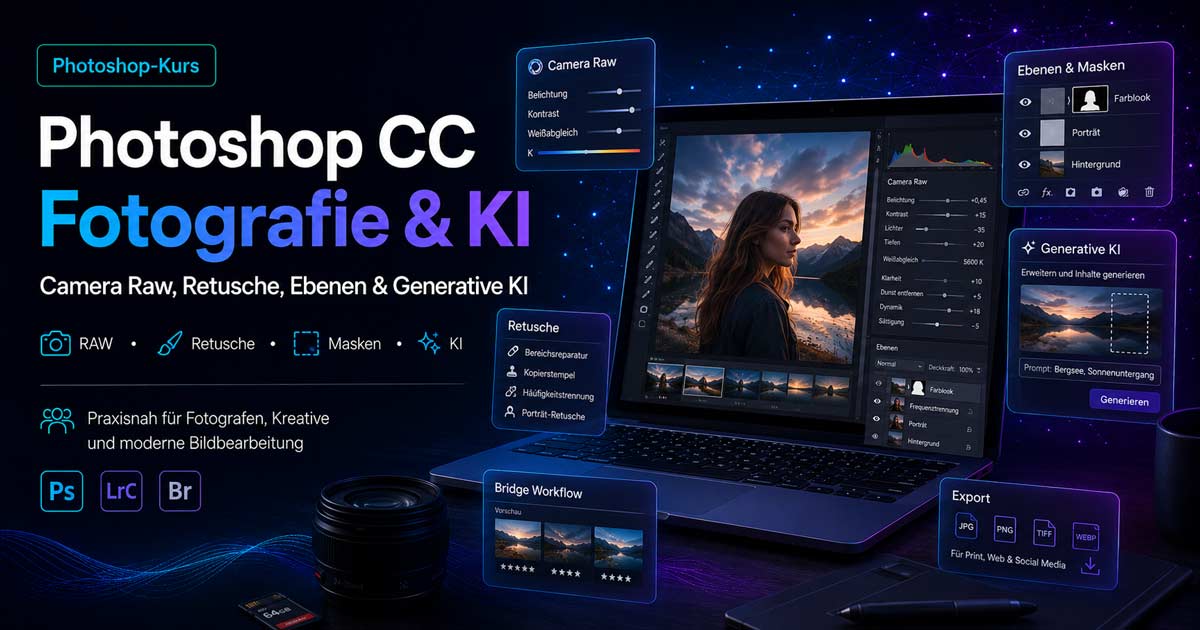
Photoshop Today: Less Feature List, More Workflow
Photoshop can do an immense amount – retouching, compositing, masks, HDR, Smart Objects, automation, and AI. However, good image editing begins with a good source image and a clean RAW workflow.
Many corrections belong in Camera Raw, Lightroom, or Capture One. Photoshop comes into play when precise retouching, layers, masks, local adjustments, or more complex interventions are needed.
It's not about memorizing every menu, but about making images visibly better.
What You Will Learn in This Course
- RAW workflow with Camera Raw, Bridge, Lightroom, or Capture One
- Meaningful transition from RAW development to Photoshop
- Layers, masks, adjustment layers, and non-destructive editing
- Retouching, selection tools, cropping, and blending modes
- Dodge & Burn, sharpening, noise reduction, perspective
- Panorama, HDR, Focus Stacking, Smart Objects
- Export for web, print, social media, and archive
AI in Photoshop
AI accelerates many steps – but it doesn't replace the eye for light, edges, colors, and credibility.
Typical AI Topics
- Generative Fill and Generative Expand
- Removing objects, adding backgrounds, expanding areas
- Selection, masking, and cropping with AI support
- AI in Camera Raw: Denoise, Super Resolution, Detail Enhancement
- Limitations with hands, faces, architecture, textures, perspective
- Controlling and post-processing AI results
AI is not a free pass: Light, shadows, sharpness, and image logic must be correct.
Especially Important for Photographers
- Skin retouching and minor blemishes
- Sensor spots, distracting objects, optimizing skies
- Aligning buildings, refining colors and contrasts
- Finalizing the image look and exporting for clients, web, or print
We show which tools are truly relevant and how to combine them effectively.
Bridge, Camera Raw, and Photoshop
Bridge assists with viewing and handover. Camera Raw develops RAW files – exposure, colors, lens corrections, sharpening, and noise reduction. Photoshop handles layers, masks, retouching, and precise local adjustments.
Also relevant is our RAW Comparison Course (Lightroom, Bridge & Capture One).
Classic Photoshop Fundamentals
Anyone who doesn't understand layers and masks cannot truly control Photoshop – not even with AI.
- Copying layers, grouping, layer masks, and adjustment layers
- Black, white, and gray masks
- Smart Objects and non-destructive filters
- Blending modes, Healing Brush, Spot Healing Brush, Clone Stamp
Advanced Editing
Depending on the group and needs, e.g.:
- Complex cropping, hair, architecture, perspective
- Liquify, Puppet Warp, Tilt-Shift, creative looks
- Actions, batch processing, color profiles, print, and web
The course can be more strongly focused on retouching, web images, social media, or client work.
Limits of Photoshop and AI
A bad photo does not automatically become a good photo. AI can convincingly supplement – but also generate errors with hands, faces, text, architecture, shadows, and perspective.
The course is not just about functions, but about critically evaluating results.
Individual Support
In addition to the course, we offer individual support for specific images, workflows, and export – e.g.:
- Your own RAW workflow and retouching of specific photos
- Sensibly using AI, solving Photoshop problems
- Preparing images for clients, print, or web
Who is This Course Suitable For?
Photographers, hobby photographers, freelancers, creatives, associations, and companies – anyone who wants to use Photoshop effectively. Prior knowledge is helpful, but not mandatory. Those who already work with Lightroom, Camera Raw, or Capture One will benefit particularly quickly.
Course Goal
You will confidently decide: What belongs in the RAW converter? When is Photoshop useful? How do I work with layers and masks? When does AI truly help – and when do I need to check? How do I export correctly and develop my own workflow?
Result: a modern, practical Photoshop workflow for photography, image editing, and AI – without a feature list overkill.
Book a Photoshop Course
Group course, individual coaching, or a combination with RAW and photography courses – we tailor the focus to your images and goals.