


DIRSCHL Music Studio · Desktop Beta 1.2
Finalize Suno Tracks and Publish to DIRSCHL Music
Local app for the core workflow: open song, check tags and cover, generate tagged MP3, and upload to DIRSCHL Music using a WordPress application password.
Core path ready: WAV/MP3 · Cover · Metadata/EXIF · Upload to DIRSCHL Music.
Optional: Whisper/SRT, videos, YouTube, TikTok, and Meta. LTX video generation remains a developer feature.
Requirements: Python 3.11–3.13 and FFmpeg. ZIP without access credentials.
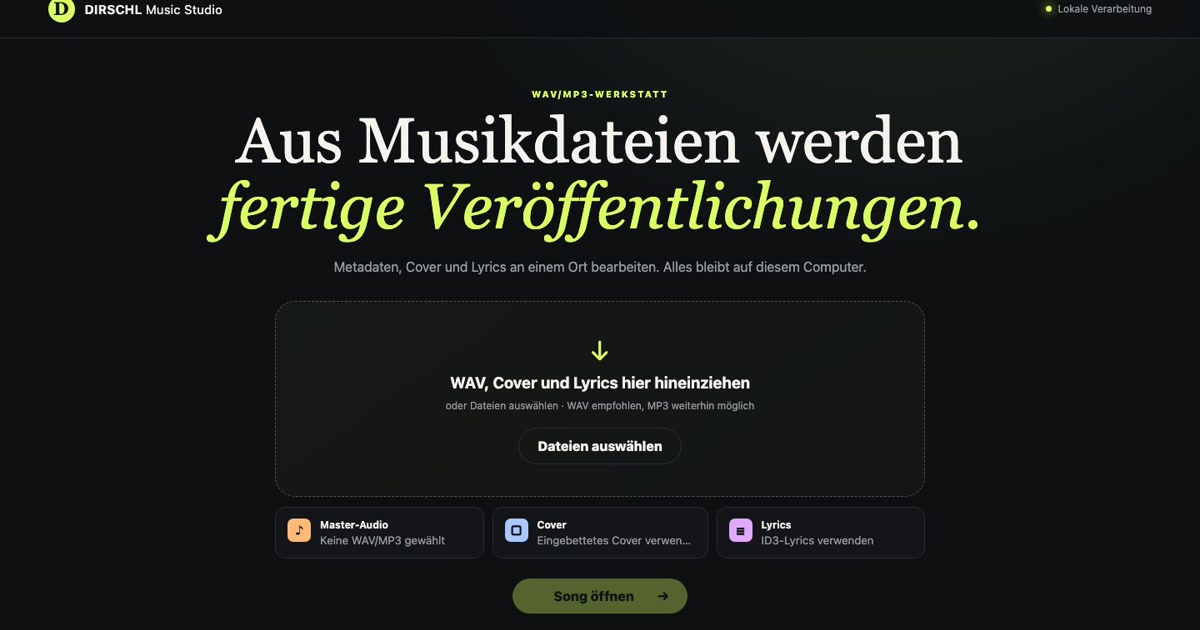
One Project Instead of Many Individual Steps
All components of a song stay together. The studio handles recurring production steps and shows what will actually be used before each output.
1. Open Song
Drag and drop WAV or MP3, cover, and lyrics. Existing metadata, embedded images, and lyrics are imported.
2. Review and Supplement
Check title, album, year, copyright, and cover. Lyrics remain as text in the tag – timestamps are only needed for subtitles and videos.
3. Publish to DIRSCHL Music
With one click, generate MP3 and cover tags and upload the song to an album on your website. Videos and social uploads remain optional.
The Complete Song on One Workspace
Cover, song data, audio file, lyrics, and timestamps are directly comparable. Missing timestamps can be set with a click during playback; already recognized marks can be corrected just as quickly.
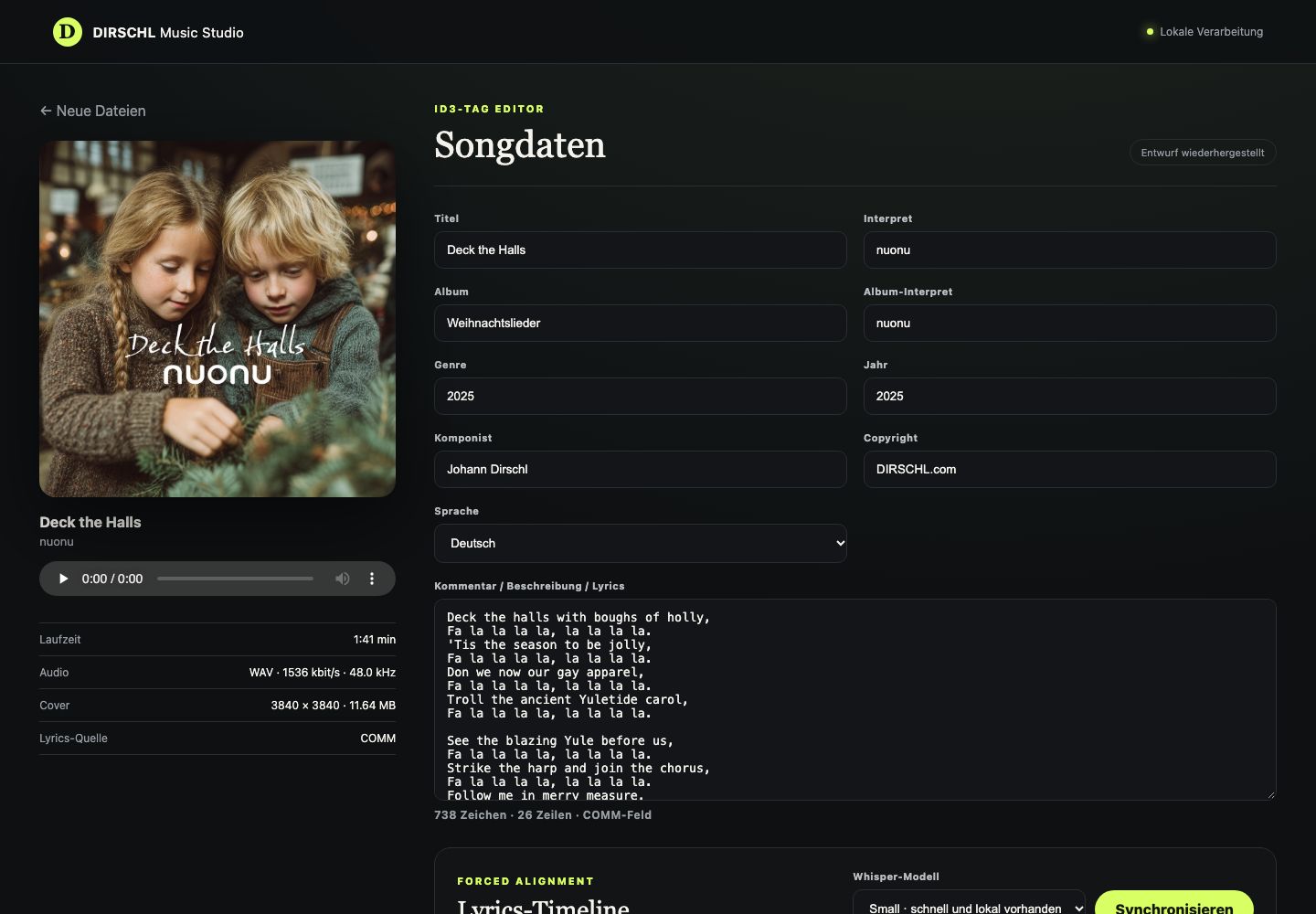
Audio, Metadata, and Cover
- Use WAV or MP3 as original audio
- Read and edit metadata and embedded content
- Store tagged MP3 and WAV file together
- Adjust cover to 3840 × 3840 pixels; only smaller templates are upscaled
- Control audio in the integrated player before output
Lyrics, Subtitles, and Video
- Import lyrics from audio tags or text files
- Automatically detect and set timestamps during playback, then correct them manually
- Generate SRT subtitles and synchronized lyrics from a shared timeline
- Render 4K video for YouTube and 9:16 reels for Instagram, Facebook, or TikTok
- Maintain social media text with links to previously published content
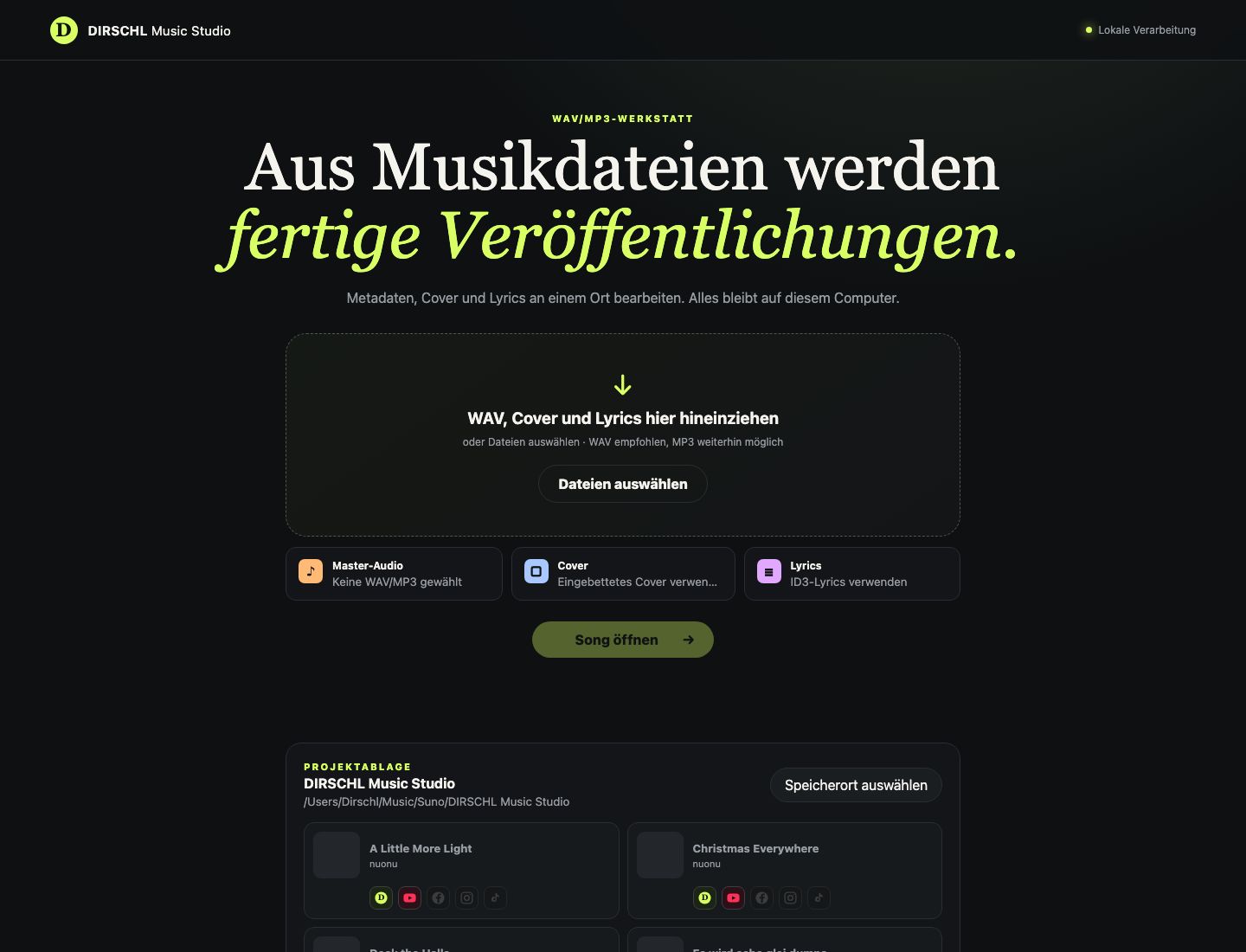
All Songs and Releases at a Glance
The project archive displays covers, titles, and the status of individual releases. Already published versions are directly linked, and open platforms remain immediately visible.
A project can be reopened, corrected, and exported later. Existing titles can be specifically updated in DIRSCHL Music during a new release.
Publish with Final Control
Before uploading, the studio displays the video, format, title, description, visibility, and target account once more. YouTube playlists can be selected; for Meta and TikTok, the available platform options remain visible.
Nothing is published in the background. The upload only begins after confirmation in the respective dialog. The visibility a platform allows depends on the connected account and the approval of the respective interface.
Local Processing
Audio, covers, lyrics, interim results, and exports are processed on your own computer. Only an explicitly chosen publication transfers the necessary files and information to YouTube, Meta, TikTok, or DIRSCHL Music.
Further information: Terms of Use · Data Protection · Delete Data and Revoke Access
Create a complete music video locally from a finished song
Beta note: Storyboard, clip generation with LTX 2.5, and 4K upscaling are experimental and primarily intended for developers with a local LTX environment. The core path to DIRSCHL Music works independently; Whisper/SRT remain optional.
Everything stays on your computer. The song is the audio track, and the images are built to match it.
How the video is created
First, the studio captures the song and lyrics. This forms a cinematic story: scene by scene, matching the text and style.
LTX 2.5 generates the clips locally in the background. A title can take several hours. During this time, you can view parts, change prompts, and redo individual sections.
In the editing suite, the clips are placed on the song. Move frame by frame, dock, and close gaps. Once every frame has an image, the export follows – optionally with Real-ESRGAN to 4K.
Example: 4K video with DIRSCHL Music Studio
“O Weihnachtszeit, wie schön du warst” by nuonu. 3:05 minutes, 38 shots, final 3840×2160.
DIRSCHL Music Studio Features – Video
Developer section of the Beta. These features require a local LTX Desktop and optional Real-ESRGAN environment.
Storyboard
Opens from the project repository via the film icon. Shows settings, prompts, clips, and progress. Unfinished videos can already be partially played.
Local Storyline
A local language model first writes the story for the song, then the prompts. Style and character remain consistent across all settings.
Clip Generation with LTX 2.5
Open clips are generated locally as a batch. Pausing stops after the current clip. Newly generated clips replace the previous version; older ones remain in the clip repository.
Editing & Timeline
The song determines the film length. Clips can be moved frame by frame; magnetic docking prevents empty frames.
Clip Repository
Replaced clips are retained and can be dragged onto a setting again.
Export
Once every frame has an image, the edit is created. The song remains the audio track.
4K Upscaling
Optional via Real-ESRGAN: fast or quality-oriented variant. Encoding locally, without cloud rendering for the clips.
Technical Notes
Tested locally on Apple Silicon. LTX 2.5 Fast via LTX Desktop. Upscaling via Real-ESRGAN. The images are synthetically generated.
WordPress Add-on: DIRSCHL Music
DIRSCHL Music Studio prepares songs and media. The WordPress plugin DIRSCHL Music then presents them as albums and individual tracks with a player, lyrics, and dedicated song URLs on your website.
Developed from a Real Publishing Workflow
The studio is developed using our own nuonu productions and continuously improved during live use. This ensures it focuses not on a demo, but on the steps that genuinely recur with every new song.
Examples can be seen under Music and Albums. The course AI Music Production with Suno explains the path from song concept to publication.
Beta 1.2 – Core Path for Many
DIRSCHL Music Studio is a desktop beta. Many users can use it to finalize Suno tracks with EXIF/tags, cover art, and upload to DIRSCHL Music. Whisper/SRT, videos, and social uploads are optional; LTX remains for developers.
The beta does not include login credentials. After downloading, you connect DIRSCHL Music locally with an application password. Please contact us if you have any questions.
Verified answers
Frequently asked questions
What AI features does DIRSCHL Music Studio offer?
The workflow remains on the user’s own computer and combines tasks that would otherwise require several applications. It covers project management, metadata, manual lyric correction, SRT subtitles, automatic timestamps, cover preparation, storyboards and prompts, local clip generation, editing, export and upscaling. Interfaces for YouTube, Meta, TikTok and DIRSCHL Music support publication. Automated results must be reviewed before export and before any upload; rights, platform requirements and final approval remain the user’s responsibility.
How does DIRSCHL Music Studio create an AI music video?
The song determines the film length and remains the master audio track. Clips can be generated individually, recreated, extended and moved on the timeline. Voice-to-video can align lip movement with a song segment. Working resolutions up to 1080p are available for review; the final export can be upscaled from 1024×576 to 4096×2304 and centred at 3840×2160. LTX 2.5 Fast runs locally through LTX Desktop, with upscaling handled by Real-ESRGAN ncnn-vulkan. Processing time and output quality depend on the hardware, model and selected settings.
Last reviewed: