


AI Course 4 · AI Music Production
AI Music Production with Suno: From Song to Release
Suno generates music, speech, and sound effects – but a complete music release requires more. This course connects song idea, lyrics, generation, quality control, stems, mix, metadata, cover, karaoke, video, social media, and publishing into a clear workflow.
The examples are drawn from our own experience with DIRSCHL Music Studio, the DIRSCHL Music Plugin, and published albums and games.
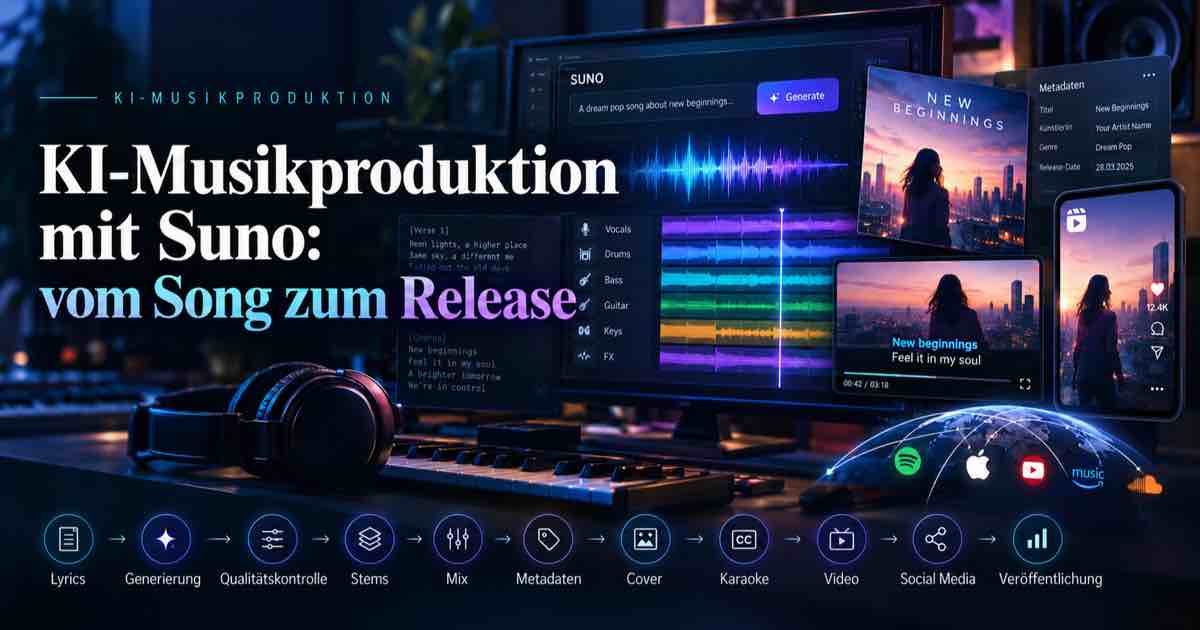
What You Will Learn in This AI Music Course
Song & Prompt
Brief overview: Prepare your idea, style, song structure, and lyrics so that different versions can be effectively compared. I am confident that you can already create great songs, so the focus here is not on song creation itself.
Production & Quality
Check pronunciation, lyrical accuracy, transitions, and artifacts; effectively use stems, arrangement, mix, and master. Again, just a brief overview, as current versions of Suno are usually already very good.
Media & Metadata
Generate cover art, tags, synchronized lyrics, karaoke, subtitles, YouTube videos, and Reels from a common database. This is precisely what we will focus on: what to do with your finished Suno songs and how to present them to a wide audience.
Rights & Release
Properly categorize plans, commercial use, original content, distributors, websites, and streaming platforms.
What Suno Can Do – and What It Can't
Suno generates complete songs with vocals and instrumentation from descriptions and lyrics. Current models and Suno Studio support variations, editing, stems, MIDI, as well as speech and sound effects. However, musical selection, lyric control, rights clearance, metadata, and publishing remain independent tasks.
Short Answer: Suno is a powerful generator and production component – not automatically the complete publishing process. Therefore, additional tools like the WordPress Plugin DIRSCHL Music or the DIRSCHL Music Studio app are currently still needed.
The Workflow from Prompt to Release
- Concept: Define statement, target audience, genre, language, and publishing format.
- Lyrics and Prompt: Precisely describe song structure, mood, tempo, and instrumentation.
- Generation: Create multiple versions and do not blindly accept the first result.
- Review: Critically listen to words, pronunciation, voice, transitions, dynamics, and artifacts.
- Arrangement and Stems: Correct sections and further process tracks in Suno Studio or a DAW.
- Mix and Master: Adjust frequency balance, dynamics, stereo image, and loudness to suit the material.
- Release Data: Consistently maintain title, artist, album, year, genre, composer, copyright, cover, and lyrics.
- Media Package: Generate subtitles, karaoke/lyrics videos, YouTube versions, Reels, and accompanying texts.
- Presentation and Distribution: Publish on your own website, album page, and desired streaming platforms.
Three Practical Goals Instead of Just One Suno Tip
The course is linked to three existing levels. This transforms a generated song into a discoverable and presentable music project. Albums & Audio Samples showcase the frontend of the DIRSCHL Music Plugin for WordPress. DIRSCHL Music Studio is a standalone local app that locally sets text markers for subtitles without token consumption, and creates 4K YouTube videos and vertical Reels complete with subtitles and effects. The next update will also implement automatic uploads to various platforms, so you can achieve a complete release from Suno in just a few steps.
-
DIRSCHL Music WordPress Plugin - Royalty-Free Music by nuonu
DIRSCHL Music is a powerful WordPress music plugin offering music albums and playlists, SEO, ZIP, MP3, WAV, Carplay, and EXIF. The best WP audio plugin.
-
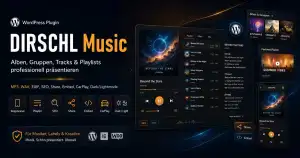
DIRSCHL Music: Free WordPress Music Plugin
Free WordPress music plugin for albums, players, lyrics, downloads, and music SEO – with complete shortcode explanations and live demos.
-
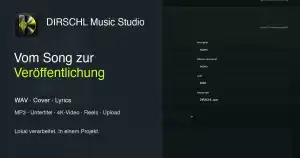
DIRSCHL Music Studio – Release Songs
Process WAV, cover art, and lyrics locally: metadata, synchronized subtitles, 4K videos, reels, and releases from one project.
DIRSCHL Music Studio: The Production Layer After Suno
DIRSCHL Music Studio is currently under development. Already implemented features include local WAV/MP3 processing, metadata and covers, forced alignment of existing lyrics, timeline correction, SRT/LRC/WebVTT/ASS, karaoke/lyrics videos, YouTube output up to 4K, vertical reels, social media texts, and ZIP upload packages.
Automatic publishing is planned as the next development step but is not yet an available feature.
Rights for Suno Music
According to current Suno terms, songs created under the free plan are generally intended for personal, non-commercial use only. Commercial usage rights apply to songs created during an active paid subscription; a later subscription typically does not apply retroactively.
Commercial usage rights are not the same as guaranteed copyright. Your own or licensed lyrics, audio uploads, voices, samples, images, and brands must still be reviewed. The course focuses on practical classification, not legal advice.
Frequently Asked Questions About AI Music Production
Do I need prior musical knowledge?
Not strictly necessary for getting started. However, musical understanding helps with structure, selection, arrangement, and quality control.
Is Suno alone sufficient for a release?
No. A proper release additionally requires rights clearance, metadata, cover art, quality control, presentation, and potentially a distributor.
What does DIRSCHL Music Studio automate?
The development version synchronizes lyrics, generates subtitles, karaoke/lyrics videos, YouTube and Reel files, manages metadata, and creates an upload package.
Is the course only for Suno?
Suno is the central practical example. The fundamental steps for quality, rights, metadata, media, and publishing also apply to other AI music systems.
Learn AI Music Production in Practice
From the first prompt to album page, video, and release – available as an individual course or customized for creatives, agencies, and businesses.