


DIVI · Theme & Layout
WordPress with DIVI – Layout you can maintain yourself
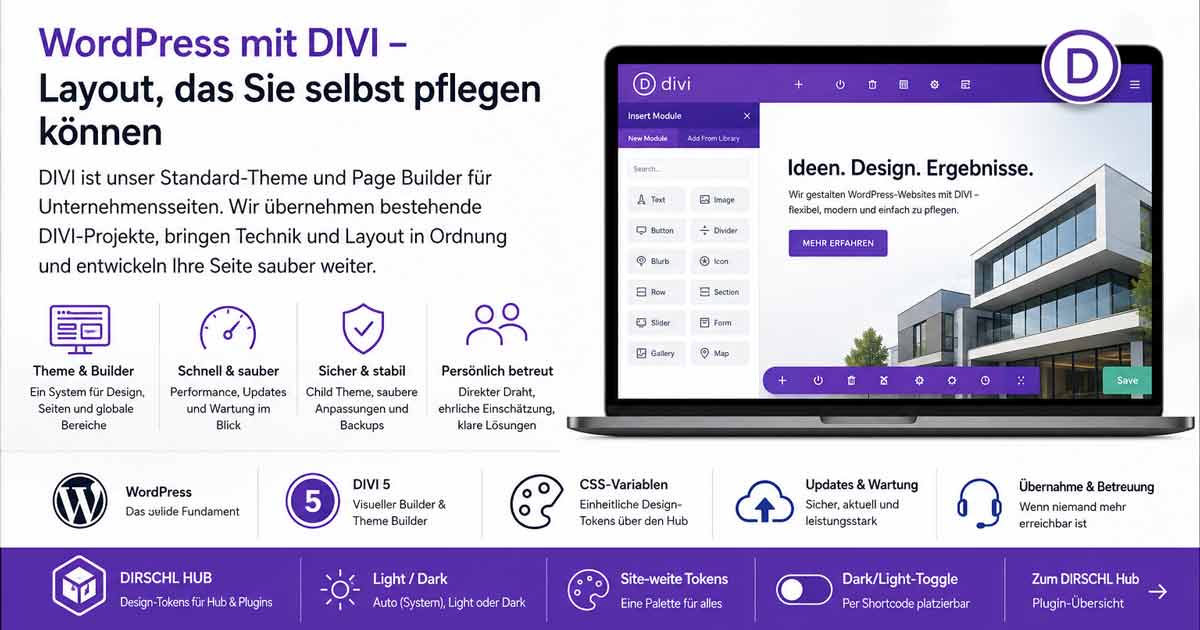
DIVI is our standard theme and page builder for business websites. On this page, we explain what a WordPress theme does, why we use DIVI – and how we take over existing DIVI projects and develop them cleanly.
You can find the WordPress overview on the WordPress page.
What is a WordPress Theme?
A Theme determines the basic structure and appearance of your WordPress site: header, footer, typography, colors, spacing. Plugins add functions – shop, forms, SEO tools, custom blocks. A Page Builder allows you to visually build page layouts without programming from scratch each time.
DIVI combines theme and builder in one package. You don't need a second design theme – DIVI is both the active theme and the tool for content and landing pages.
WordPress comes with several standard themes; these are usually not needed and can be deleted after setup. The WordPress Basics Course shows how this works in the backend.
Why DIVI?
For our new projects, we rely on DIVI 5: visual builder, large module library, Theme Builder for global headers and footers, responsive preview. Layouts can be maintained without buying a new theme for every small detail.
- One system for theme, pages, and global areas
- Many ready-made modules and layout packs
- Good for SMEs, associations, courses, portfolios
- Updates and license via Elegant Themes
- Too many modules and effects make pages slow
- Major updates can affect customizations
- Custom code belongs in the Child Theme, not the main theme
- Alternatives (block themes, other builders) have different trade-offs
Block themes and pure Gutenberg solutions are useful if you consciously want to stay minimal. DIVI is worthwhile when layout flexibility and visual maintenance are paramount.
Child Theme & Clean Customizations
Customizations do not belong in the main DIVI installation. A Child Theme inherits DIVI and is preserved during theme updates – this is where custom CSS, small PHP hooks, and custom templates go.
- Install and activate DIVI
- Create a Child Theme or generate one using a generator
- Activate Child Theme – then only customize there
- Keep snippets, Hub tokens, and plugin CSS separate
In the Basics Course, we go step-by-step through installation and Child Theme. For developers: more in-depth customizations via hooks and custom plugins.
DIRSCHL Hub – Unified Design for Plugins
Our WordPress plugins – Music, Link Preview, Reference Hub, Games, and others – form a unit with the DIRSCHL Hub: central catalog, updates, licenses, and a common appearance.
Important: The Hub is not built only for DIVI. Under DIRSCHL → CSS, you maintain Light and Dark palettes; the values are published as CSS variables (--dh-text, --dh-background, --dh-surface, --dh-accent …) on :root. Every WordPress theme – DIVI, GeneratePress, a block theme, or an individual theme – can use these variables in its own Custom CSS. Our plugins read the same tokens regardless of the active theme.
DIVI users can optionally map the values in Theme Options → Custom CSS, e.g., for page background and body text. Those who don't use DIVI still benefit from unified plugin interfaces and Dark/Light control via the Hub.
- Preview mode – Auto (System), Light or Dark
- Site-wide Tokens – a palette for Hub and connected plugins
- Dark/Light Toggle – freely placeable via shortcode
- Optional Theme Integration – Background/Text for page wrapper; for DIVI additional wrappers
DIVI 5 & CSS Variables
DIVI 5 works more strongly with CSS Custom Properties. This fits well with our Hub approach: maintain palettes centrally once, use the same values in DIVI and in plugins.
Our practice: define Hub tokens, plugins use them automatically. Where DIVI sets fixed section colors, we specifically add Custom CSS in the Child Theme – e.g., background-color: var(--dh-background) for content areas. This way, theme layout and plugin design remain coordinated without coloring each module individually.
The Light/Dark toggle is independent of the DIVI theme mode and controls the Hub palette – useful if visitors should explicitly switch, not just follow the system.
DIVI Support – What We Specifically Do
Simply 'doing updates' is rarely enough. With ongoing support or takeover, we take care of technology and layout – pragmatically, with a direct line to the creator.
- Updates for WordPress, DIVI, and plugins – coordinated, not blindly
- Analyze and fix errors after DIVI or PHP updates
- Performance: images, modules, caching, Core Web Vitals in focus
- Layout adjustments, responsiveness, Theme Builder
- Clean up Child Theme, Custom CSS, and plugin conflicts
- Small extensions and custom logic as needed
Whether a landing page or an established business website: the goal is a stable, maintainable installation that you can understand and help maintain.
Typical DIVI Problems
Many clients come with similar symptoms – usually solvable if you know the cause:
- Slow – too many modules, large images, outdated plugins
- Broken after update – customizations in the main theme instead of Child Theme
- Plugin Chaos – dozens of extensions with overlapping functions
- Nobody reachable – agency gone, hosting unclear, access credentials missing
We start with a brief technical check and a clear proposal – without sales pressure.
Further Topics
This page covers theme, DIVI, and support. You can find specific details here:
DIVI Project or Takeover?
New layout, existing DIVI site in bad hands, or a second opinion on theme and plugins – get in touch.