


Free WordPress Plugin
DIRSCHL YouTube Playlist
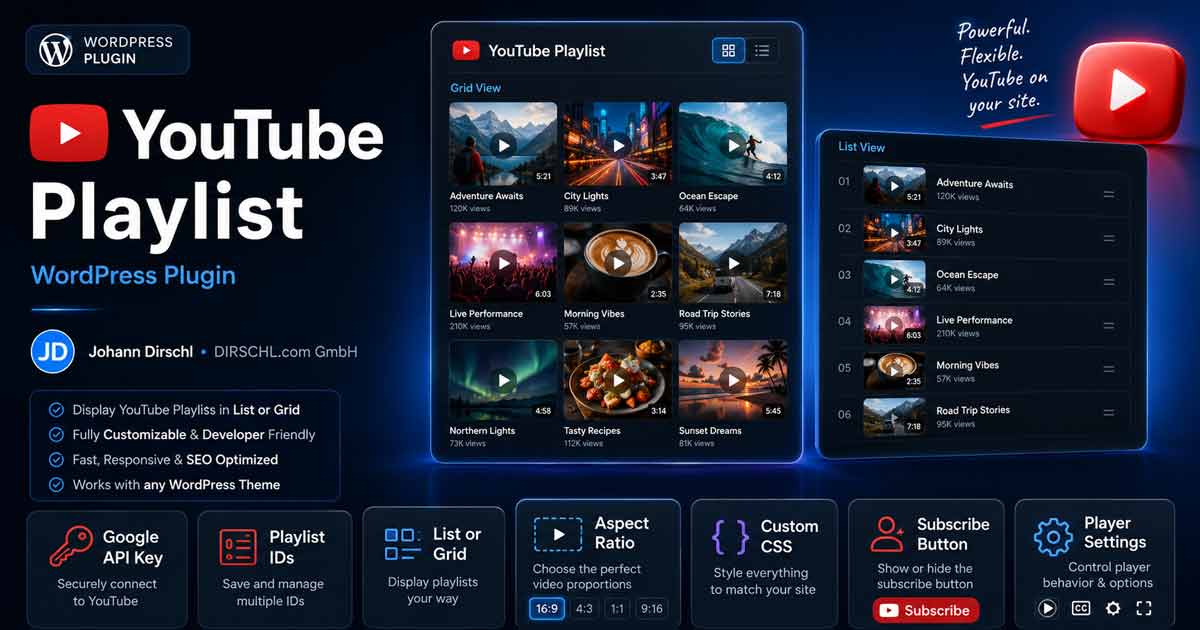
YouTube playlists as a gallery or list with a large player and fixed aspect ratio.
Ideal for square or vertical videos (music, social, Shorts-like formats) and for course or portfolio playlists – not for single video embeds (oEmbed or a video block is sufficient for that).
Clicking a thumbnail changes the video in the main player. API responses are cached, assets only load on pages with a shortcode.
DIRSCHL WordPress Plugin Suite
All our plugins are managed via a central hub. This provides access to all free plugins and offers central CSS, so that Dark-Light Mode can also be centrally managed for the site. All DIRSCHL plugins thus receive a uniform appearance that can also be used for WordPress (also tested with DIVI).
Additionally, our Premium Plugins including support can also be purchased here. The hub then manages the license key, which is not required for the Free Plugins.
Features
- Large YouTube player + clickable thumbnail gallery
- Grid layout (tile gallery) or List layout with title row
- Free aspect ratio (standard 1:1, e.g., 16:9, 2/3, 5/7)
- Player optional – only video list without embedded player possible
- Subscribe button with
var(--dh-control)/ Hub colors, separate from the player - Backend: Playlists, Settings and CSS tab (per
idclass.dirschl-ytpl-{id}) - Responsive Default CSS for gallery (8 → 6 → 4 → 2 columns)
- Transient cache for playlist data (quota-saving)
- CSS/JS only when shortcode is used – no overhead on other pages
- Autoplay off by default (
autoplay="1"optional)
Configuration
- Tab Playlists – multiple playlists with Slug, Layout, Ratio, Player, Subscription
- Tab Settings – API Key and Cache Duration
- Tab CSS – Default Styling and per playlist via
.dirschl-ytpl-{id} - Shortcode:
Unbekannte Playlist-ID (Slug). Bitte im Backend unter Playlists prüfen.
- Ratio – any format
Width/Height, default1/1 - player="0" – gallery/list only, click opens YouTube
Data Privacy
When a page with a shortcode is accessed, YouTube/Google loads resources (IFrame, possibly cookies). Mention this accordingly in the privacy policy.
Roadmap
- Gutenberg block and shortcode generator in the backend
- Carousel/Lightbox gallery
- Pagination for playlists with more than 50 videos
- Optional DIRSCHL Hub design (
var(--dh-*))
Shortcode
[dirschl_youtube_playlist id="musik" layout="grid" ratio="1/1" player="1" subscribe="0"]Parameters: id (saved playlist), layout (grid|list), ratio (free, e.g., 1/1, 16/9, 2/3, 5/7), player (0|1), subscribe (0|1, Hub colors).
Installation (Step by Step)
- Download ZIP 1.1.2 (right column)
- WordPress: Plugins → Add New → Upload Plugin
- Activate plugin DIRSCHL YouTube Playlist
- Settings → YouTube Playlist – Tab Settings: API Key
- Tab Playlists: Create playlists with
id(Slug) - Insert shortcode
[dirschl_youtube_playlist id="slug"] - Tab CSS: Adjust player size and columns
YouTube API Key
Create a project in Google Cloud Console, activate YouTube Data API v3 and create an API key. Restrict the key to your domain if possible.
Download & Installation
Version 1.1.2
Download dirschl-youtube-playlist-1.1.2.zip
Previous versions (if needed):
Latest Changes
- 1.1.2 – Responsive CSS, CSS tab, Multi-Playlist Admin, flexible Ratios
- 1.0.0 – First public version
See readme.txt in the plugin for details.
Support
Individual video galleries, course integration or white-label? We develop custom WordPress plugins.