


Free WordPress Plugin
DIRSCHL Link Preview – Display Links as Engaging Preview Cards.
A URL automatically becomes a visual card with an image, title, description, and optional button.
Read Open Graph data, present internal and external content, and output multiple cards as a grid, carousel, or hero slider – without manually recreating each preview.
Version 3.4.50 · WordPress 5.8+ · PHP 7.4+ · no license required
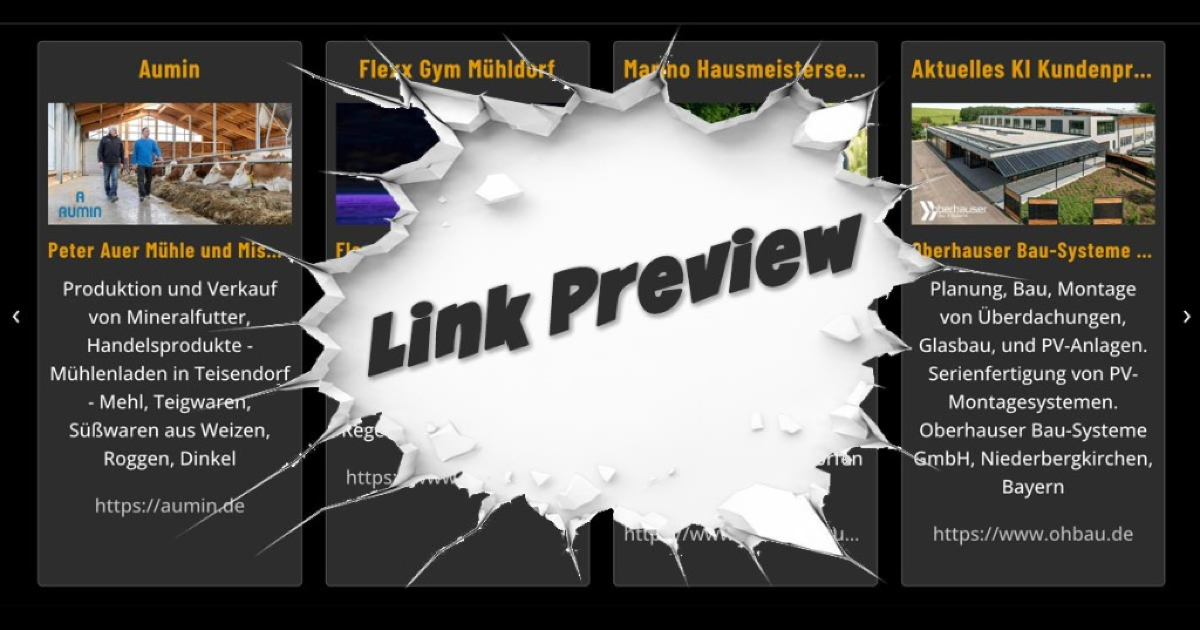
Download for free, install immediately, and update directly via WordPress later.
Present Links More Clearly and Attractively
Visitors See What to Expect Before Clicking.
A standard text link reveals little. DIRSCHL Link Preview reads suitable metadata from the target page and generates a consistent preview. This allows references, services, products, posts, partner sites, or external sources to be explained better and linked more effectively.
Automatic Metadata
The title, description, and most suitable Open Graph or page image are retrieved from the target URL and cached.
Custom Content per Card
Each preview can be refined for its specific purpose using alt_title, alt_desc, alt_image, and alt_button.
Flexible Collections
Individual cards, equally sized grid cards, centered carousels, and hero sliders all use the same Link Preview data.
Quick Start
One URL is Enough for the First Preview.
After activation, insert a shortcode into a WordPress shortcode block, a Divi code module, or a suitable content area:
[dirschl_link_preview site="https://example.com/"]site is the target address. Alternatively, link can be used; relative internal paths like /contact/ are also supported.
New Text and Button Control
Paragraphs, Custom Descriptions, and Clear Calls to Action Directly in the Shortcode.
alt_desc replaces the automatically loaded description. A <br> creates a line break, <br><br> starts a new paragraph. Other HTML tags are removed for security reasons. alt_button or simply button adds a CTA that always leads to the card's target URL.
[dirschl_link_preview link="/marketing/" alt_title="Marketing for Businesses" alt_desc="More visibility in Google and AI searches.<br><br>Strategy, content, and technology from a single source." alt_button="Discover Marketing" show="1110"]The third digit of show="1110" controls both the description and the button. The four digits represent the image, title, content, and visible URL line.
alt_title
Overrides the automatically determined card title without changing the cached metadata of the target page.
alt_desc
Custom description with secure line breaks and paragraphs – ideal for clear service and product texts.
alt_button / button
Adds a customizable CTA to the card. Color and appearance follow the central theme or Hub CSS.
alt_image
Uses a custom image via HTTPS URL, absolute website path, or path relative to the upload directory.
Live Example
A custom card with paragraphs and a button.
This preview uses a custom image, a custom title, two text paragraphs, and a CTA:
-
Free Link Preview WordPress Plugin | DIRSCHL
Free WordPress plugin for Open Graph link preview cards: custom paragraphs, buttons, images, grid, carousel, screenshots, and cache.
A card or an entire collection
Grid, Carousel, and Hero Slider for different sections.
Single Preview
[dirschl_link_preview site="https://example.com/"]Ideal for articles, service pages, or specific recommendations.
Grid Gallery
[dirschl_link_preview_gallery cols="3" cols_md="2" cols_sm="1" gap="24" show="1110"]
[dirschl_link_preview site="https://example.com/"]
[/dirschl_link_preview_gallery]
Cards of equal height with centered content and clean spacing before and after buttons.
Carousel
[dirschl_link_preview_carousel items="4" show="1110"]Endless slider with arrows; card and content are centered like in the grid.
Images & Screenshots
- Open Graph and Twitter Images
- largest suitable page image as fallback
- optional website screenshots
- custom default image
- responsive WebP thumbnails
Control & Cache
showmask per card or containerellipsisfor text length or lines- cache duration per preview
- optional debug mode for administrators
- Rank Math image sitemap integration
Compatibility
- internal and external URLs
- Divi, Block Editor, and classic content
- Legacy shortcodes from SEO Image Link
- Light and Dark Mode via Hub tokens
- automatic updates from DIRSCHL.com
Install for Free
Direct download or conveniently via the DIRSCHL Hub.
Current Version: 3.4.50 · no license or user account required
1. Download ZIP
The download endpoint automatically provides the latest released ZIP.
2. Install Plugin
Under Plugins → Add New → Upload Plugin, select the ZIP, install, and then activate.
3. Check Settings
Under Settings → Link Preview, check Cache, Default Image, Screenshot Method, and Design. Open Graph cards also work without a screenshot service.
4. Insert Shortcode
Start with a single card and, if needed, combine multiple previews into a Grid or Carousel. New versions will appear as a WordPress update.
Existing Users of “SEO Image Link”
The previous shortcodes [seo-img-linkc, [seo-img-link-carouselc, and [seo-img-link-galleryc remain valid. Settings, cache, and image files will be migrated to the current directory wp-content/uploads/dirschl-link-preview/; outdated local paths will be repaired during migration.
Frequently Asked Questions about DIRSCHL Link Preview
Is DIRSCHL Link Preview truly free?
Yes. The plugin can be downloaded, installed, and updated without a license key. Installation from the DIRSCHL Hub is also possible without a license.
Do I need the DIRSCHL Hub?
No. You can download the current ZIP directly and install it manually. The free Hub simplifies installation, updates, and shared plugin design.
Can alt_desc contain multiple paragraphs?
Yes. Use <br> for a line break and <br><br> for a new paragraph. Other HTML tags are removed for security reasons.
How do I add a button to the card?
Set alt_button or button to the desired label. The button links to the URL from site or link and is controlled along with the description via the third show position.
Do I need a screenshot service for link preview cards?
No. Normal preview cards use Open Graph and other page metadata. A screenshot service is only required if website screenshots are to be generated.
Do existing SEO image link shortcodes continue to work?
Yes. The previous shortcode names are retained as compatible aliases and can be gradually switched to the new names.
Install the current version for free now.
Start with a simple URL and then precisely adapt the title, description, paragraphs, image, and CTA to your content. We are happy to support you with custom data sources, layouts, or white-label solutions.