


Free WordPress Plugin · locally on your website
Self-host 360° panoramas and display them directly in WordPress.
DIRSCHL 360 Panorama brings large panoramic images to your website without an external viewer, CDN, or platform account.
Upload panoramas, automatically prepare them for the web, and embed them via shortcode. The interactive WebGL viewer runs entirely under your domain.
Version 1.0.0 · no license required · updates via the free DIRSCHL Hub
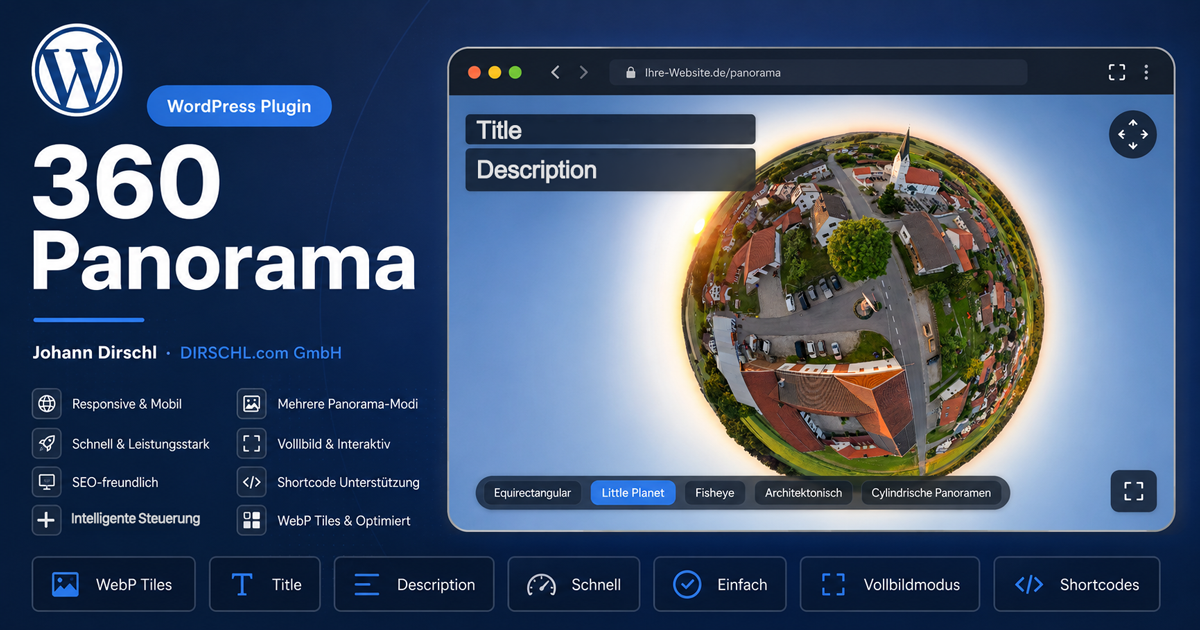
What the plugin is for
A clear workflow for real estate, architecture, showrooms, events, and virtual tours.
360° files are large and don't fit well into classic WordPress galleries. The plugin therefore manages them in their own section and automatically generates the necessary views. You retain control over files, display, and traffic on your own server.
Eigene Datenhoheit
Viewer und Bilddateien liegen auf Ihrer WordPress-Installation. Es werden weder ein fremdes CDN noch ein externer Account benötigt.
Automatische Aufbereitung
Aus dem großen Panorama entstehen Vorschau, Poster, optimierte Einzelansicht und bei Bedarf Kacheln für eine flüssigere Darstellung.
Einfach einfügen
Jedes Panorama erhält einen fertigen Shortcode. Höhe, Blickrichtung, Zoom und automatische Drehung können pro Einbindung angepasst werden.
From 2:1 panorama to interactive panoramic image
- Upload panorama: Standardized equirectangular 2:1 images and cylindrical panoramas are supported.
- Generate web files: The plugin checks the file and creates a preview, poster, single image, and – for large motifs – tiles.
- Define display: Starting view, zoom, height, and automatic rotation are controlled in the shortcode.
- Embed on the page: Insert shortcode into Divi, Gutenberg, or the classic editor.
The original file and all generated variants are organized under uploads/dirschl-360-panorama/. When a panorama is deleted, the associated folder can be completely cleaned up.
Shortcode and Control
The panorama ID is displayed in the backend and can be copied directly. A typical usage looks like this:
[dirschl360 id="123" title="Panorama" height="600" autorotate="false"]Important Parameters
height: Height of the vieweryawandpitch: horizontal and vertical starting viewhfov: initial field of view or zoomautorotate: enable or disable automatic rotationshow: display title and description
Install for Free
Direct ZIP download or installation via the DIRSCHL Hub.
- Download the plugin ZIP and select it under Plugins → Add New → Upload Plugin – or install it under Free Plugins in the Hub.
- Activate the plugin and open DIRSCHL 360 Panorama in the WordPress backend.
- Upload the panorama, let the processing complete, and copy the generated shortcode.
- Insert the shortcode into the desired page and check the display.
Technology: PHP 8.0 or newer. Sufficient RAM must be available on the server for very large source images.
DIRSCHL 360 Panorama – Download ZIPDIRSCHL Hub – Download ZIP
Adapt the Panorama Viewer to Your Project
The free plugin covers the complete standard workflow. We develop suitable extensions for individual user interfaces, white-label editions, hotspots, or integration into real estate and product processes.