


DIRSCHL AI Media
No more unlabeled images. DIRSCHL AI Media analyzes visible image content and generates suitable suggestions for alt text, title, caption, and description. You use your own API key for Google Gemini, OpenAI, or an OpenAI-compatible AI.
Existing filenames, EXIF data, media fields, and optionally the complete HappyFiles folder path provide additional context. The result: more understandable galleries, improved accessibility, and meaningful image signals for search and image search.
Current version 2.6.0 · Premium plugin · Installation and updates via the DIRSCHL Hub.
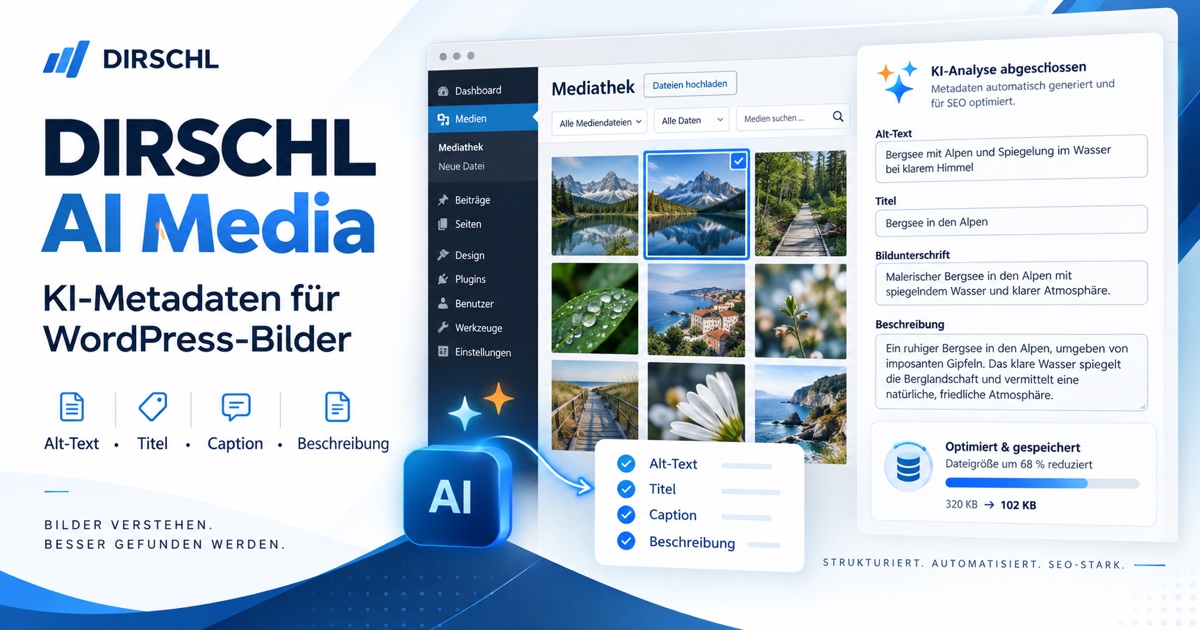
Four Managed Media Fields for a Better Image Archive
WordPress manages four editorial details per image. AI Media generates them separately so that each field fulfills its purpose:
- Alt text: describes the relevant visible subject for screen readers and provides image context for search engines.
- Title: gives the attachment an understandable name instead of a technical upload filename.
- Caption: can be visibly displayed in galleries and below images.
- Description: records more detailed editorial context for the attachment.
Complete, accurate information improves the usability of the media library and galleries. For SEO and image search, they are helpful signals – however, the plugin cannot guarantee a ranking. For accessibility reasons, decorative images should still have an empty alt text.
Securely Connect Your Own AI
- Open Settings → AI Media.
- Select Google Gemini, OpenAI, or an OpenAI-compatible API.
- Define the key source: save in the plugin or retrieve from the WordPress configuration.
- Enter an image-capable model. For a compatible API, also provide the full HTTPS URL of the chat completions endpoint.
- Start with a single non-critical test image and Run AI.
No shared DIRSCHL key: API usage, limits, and costs run exclusively through your account. The stored key is used server-side, not written back to the settings form, and not delivered to the browser.
Key from wp-config.php or another plugin
WordPress Core does not provide a universal AI key. Select WordPress Configuration / Filter if the key should not be stored in the plugin option. Supported are:
DIRSCHL_AI_MEDIA_API_KEYfor any providerGEMINI_API_KEYfor GeminiOPENAI_API_KEYfor OpenAI and compatible providers- Filter
dirschl_ai_media_api_keyfor password managers or existing integrations
For additional providers, dirschl_ai_media_analyze_image, dirschl_ai_media_api_endpoint, and dirschl_ai_media_api_headers are also available. This allows you to add your own adapter without exposing the plugin code or a key.
Single Image, Suggestion, Bulk, and Upload
- AI Optimize: Fills in missing fields directly, based on the protection setting.
- AI New Suggestion: Re-analyzes and initially enters the suggestion into the editable fields. Only Save applies the title, filename, alt text, caption, and description.
- Inline Editing: All five fields can be managed in the AI Media column of the Media Library list view; character counters show the configured limits.
- Bulk Action: Select multiple images and choose Generate AI Media.
- Automatic on Uploads: Schedules new images via WP-Cron after five seconds. WP-Cron must be running reliably for this.
If the API is unreachable, the key is missing, or the response is invalid, the media fields remain unchanged. AI Media does not write generic placeholders to your Media Library.
What the AI Receives for Analysis
For analysis, an image variant scaled down to a maximum of 1024 pixels is used. This saves transmission volume and leaves the original untouched. Additionally, the prompt may contain the following information:
- Filename without extension and WordPress size suffix
- Existing title, alt text, caption, and description
- Available EXIF data such as camera, lens, focal length, aperture, exposure time, ISO, and date taken
- Optionally, the complete HappyFiles path including parent folders
These values are hints, not factual claims. The default prompt explicitly requests not to invent anything that is not visible in the image.
All Settings Explained
- AI Provider, Key Source, API Key, Model, and Endpoint: Determine the Vision API used.
- Use AI: Activates only the automatic processing of new uploads; manual actions remain available.
- AI Prompt: Freely customizable instruction.
{existing_metadata}is replaced by media and EXIF data. - JSON Keys: Whitelist of accepted response fields: object, scene, style, alt, title, caption, description, keywords, location, quality.
- Protect Existing Values: Only fills empty fields; if disabled, the AI may replace existing entries.
- Scale Originals / Maximum Width and Height: Controls WordPress’ threshold for large uploads.
- JPG Quality: Sets the WordPress quality for newly generated JPEG files and sizes.
- Limits: Maximum length for title, description, alt text, and caption, as well as minimum length for alt text.
- Include HappyFiles: Sends the folder path as additional semantic context.
- Slugify Filenames: Cleans special characters and path characters during manual filename changes.
- Debug Logging: Writes technical diagnostics to the WordPress log; keys are not logged.
Storage Analysis, Usage, and Cleanup
Under Media → Storage Analysis, the plugin determines the storage requirements of an attachment, including the main file, unscaled original file, and all WordPress sizes. The scan runs in time-limited batches, making it suitable for shared hosting. The separate usage check searches post thumbnails, pages and posts, custom fields/Divi, options, and the DIRSCHL Reference Hub.
- Sorting by total storage and breakdown of all variants
- Filters Only PNG and Only Unused
- Up to five found usage locations directly linked
- Live re-check before each deletion; the process is aborted if a reference is found.
Automatic detection may overlook dynamically generated or external references. Therefore, a backup and editorial review are required before final deletion.
PNG → JPG with Preview
Large PNGs exceeding 100 KB are marked as potential candidates. Before conversion, select a quality between 70 and 92 and compare the original, preview, transparency notice, and expected savings.
- Existing attachment IDs and all editorial media fields are retained.
- WordPress regenerates image sizes for the new JPG.
- Known URLs in content and post meta are converted from .png to .jpg.
- Transparency is reduced to white.
- The source PNG remains on the server as a
.bakfile.
Replacing an original file is an administrative action. Before a bulk conversion, always check your backup, preview, and critical pages.
Installation and First Secure Test
- Install the free DIRSCHL Hub and enter your product license.
- In the Hub, under Premium Plugins, click Install for DIRSCHL AI Media, then click Activate.
- Under Settings → AI Media, configure the provider, your own key, image-capable model, and desired prompt.
- Keep Protect Existing Values enabled and initially leave automatic uploads disabled.
- In Media → Media Library, switch to list view and select AI New for a non-critical image.
- Review the suggestion, save it, and only then activate bulk processing or automatic uploads.
Updates will then appear like normal WordPress plugin updates and are provided by the DIRSCHL Hub.
Data Privacy, Costs, and Responsibility
With every AI analysis, a reduced image copy, the prompt, and the activated context data are transferred to the selected provider. This may include filename, existing media fields, EXIF data, and HappyFiles folder names. Operators must independently verify whether this transmission is permissible, which contracts or notices are required, and whether personal or confidential content may be processed.
DIRSCHL AI Media does not include an AI quota. Prices, retention, training usage, regions, limits, and availability depend on your provider, contract, and model. API keys should not be included in screenshots or support messages.
Frequently Asked Questions
Do I need Gemini?
No. Version 2.6 supports Gemini, OpenAI, and OpenAI-compatible Chat Completions APIs. The selected model must be able to understand images.
Does WordPress have a built-in AI key?
No. However, an existing key can be provided via wp-config.php or the documented filter.
Does the plugin overwrite existing metadata?
With Protect Existing Values, only empty fields are supplemented. AI New displays a reviewable suggestion before saving.
What happens in case of an API error?
The fields remain unchanged. An error message indicates the reason; no placeholders are saved.
Are all images transferred automatically?
Only if automatic uploads are enabled or a single/bulk action is triggered. Storage and usage analysis do not require AI.
Does storage analysis automatically delete images?
No. Deletion requires an explicit action and is checked again against known uses immediately beforehand.
Is the plugin a substitute for editorial review?
No. Image context, accessibility, brand terms, and location information should always be checked by a human.
Premium Plugin, Installation, and Support
DIRSCHL AI Media is installed and updated as a premium plugin via the DIRSCHL Hub. The package does not include provider keys or AI quotas: Gemini, OpenAI, or compatible API access is provided by the operator themselves; any usage costs may be additional.