


Review Marketing for WordPress
DIRSCHL Google Reviews – Showcase reviews and attract more genuine customer feedback.
Build trust exactly where prospects compare and make decisions.
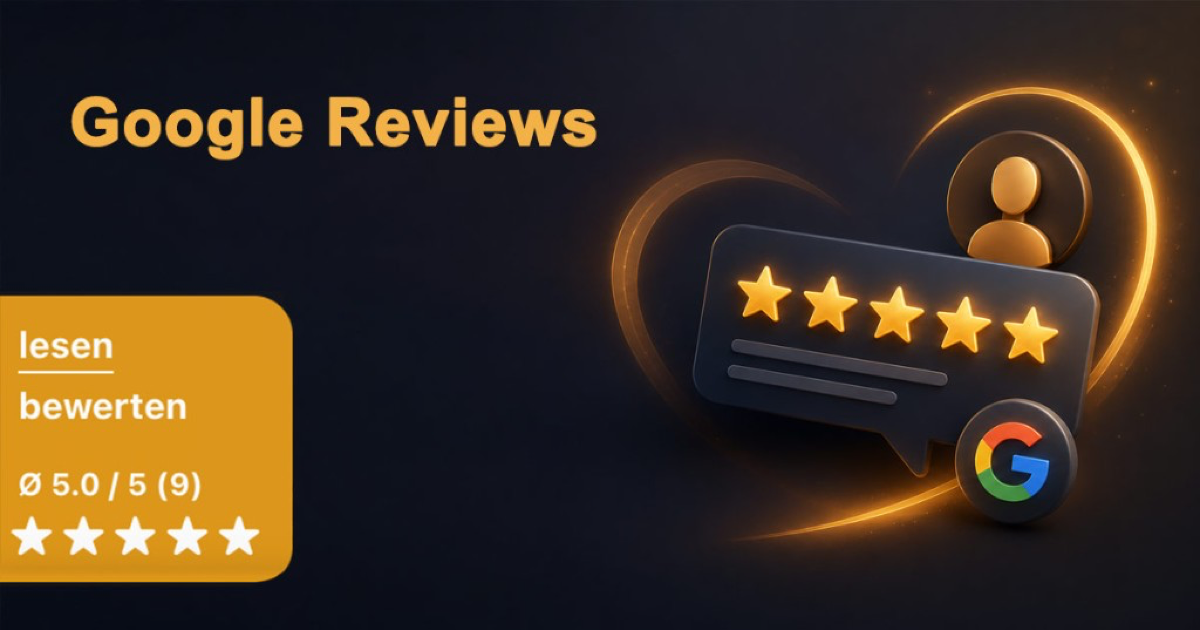
The free WordPress plugin integrates your Google rating as a permanently visible floating badge or as a shortcode within your page content. Customers can read reviews and submit an authentic review themselves with a direct click.
Free WordPress Plugin · Version 2.0.14
Display your Google rating, number of reviews, and stars – with a direct path to the review form.
Trust is built before contact is made
Customer reviews provide guidance to prospects – directly on Google and on your website.
Before making an inquiry, potential customers want to know how others have experienced working with you. A visible average rating, the number of reviews, and recent feedback provide a quick trust signal.
Google itself points out that reviews can highlight businesses in Maps and Search and provide helpful information to potential customers. The plugin brings this signal to your website as well – without copying individual review texts.
Trust
Authentic experiences from other customers reduce uncertainty and complement your own service promises with independent voices.
Decision Aid
Rating, number, and stars are quickly understood and remain visible on long service pages thanks to the floating badge.
Feedback
Reviews show what customers value and where processes, communication, or services can be further improved.
More reviews through a clear process
The best time is a genuinely positive moment of contact – the best path is as short as possible.
More authentic reviews rarely result from a one-time action. A consistent, polite process that is open to all actual customers and technically facilitates submission is more successful.
1. Choose the Right Moment
Ask after a completed project, a successful delivery, or a resolved support request – while the experience is still fresh.
2. Offer a Direct Link
Avoid search detours. The plugin links directly to the Google review form for your Place ID; Google also recommends a review link or QR code.
3. Integrate the Request
Include the link in closing emails, thank-you messages, or the appropriate website section. The request should remain voluntary, brief, and understandable.
4. Respond to Reviews
Respond professionally and individually to both positive and critical feedback. Public responses show that feedback is acknowledged.
5. Regularly, Not Sporadically
Make the request for honest feedback a continuous process. This way, a current and credible overall picture emerges over time.
6. Utilize Insights
Recurring praise can sharpen your positioning. Recurring criticism provides concrete starting points for service and communication.
Authentic and compliant
No purchased reviews, no compensation, and no review gating.
Google allows you to ask customers for a review after a genuine experience. However, paid or otherwise rewarded reviews, pressuring customers, predefined content, and selectively asking only satisfied customers are not permitted.
- no discounts, gifts, or free services in exchange for reviews
- no purchased or fabricated reviews
- no selection of only supposedly satisfied customers
- no pre-setting of a star rating or specific wording
- no request to change or delete negative feedback in exchange for compensation
Further information: Google tips for more reviews and the policies on manipulated reviews.
Two displays, one goal
Make reviews visible and simplify the next step.
DIRSCHL Google Reviews retrieves the company name, average rating, and number of reviews via the Google Places API. The data is cached. Individual review texts are not displayed by the plugin on the website.
Floating Badge
The compact badge remains visible at the bottom left, showing the average rating, number of reviews, and stars. Optionally, it opens links to read and write reviews on click or hover.
- visible on all suitable pages
- individual paths can be excluded
- colors and Hub CSS variables
- accessible contrast in the widget
Shortcode in Content
Using [dirschl_google_reviews], the rating appears as a text block on landing pages, in contact sections, or in the footer. The previous shortcode [google_bewertungen] remains compatible.
- Company name
- Average rating and count
- Full, half, and empty stars
- Links to read and rate
Google & Cache
- Places API and Place ID
- Configurable cache duration
- Stored fallback data
- Localhost mode without API call
- Connection test in the backend
Display
- Floating badge or shortcode
- Click or hover mode
- Custom link labels
- Hex colors or Hub tokens
- Configurable hint text
Operation
- Path exclusions
- Automatic updates
- Migration of old settings
- German and English interface
- WordPress 5.8+, PHP 7.4+
Install for Free
Four steps to a visible review profile.
Current Version: 2.0.14 · WordPress 5.8+ · PHP 7.4+
1. Install Plugin
Install and activate the ZIP file under Plugins → Add New → Upload Plugin.
2. Connect Google
Activate the Places API, enter a restricted API key and Place ID. The Google API may incur costs depending on your account and usage.
3. Choose Display
Activate the floating badge and/or insert the shortcode on suitable pages. Define colors, link texts, opening method, and exclusions.
4. Establish Process
Integrate the review link into your customer process, regularly respond to reviews, and utilize feedback for marketing and service.
Frequently Asked Questions about Google Reviews and the Plugin
How can businesses get more Google reviews?
Politely ask all actual customers for honest feedback at an appropriate time and provide a direct review link. Avoid applying pressure, offering incentives, or selecting only satisfied customers.
Does the plugin write or generate reviews?
No. The plugin does not generate reviews. It displays existing review data and provides genuine links for reading or voluntarily writing a Google review.
Are individual review texts displayed on the website?
No. For display, the plugin processes the company name, average rating, and number of reviews. Individual review texts are not shown.
Can the badge be hidden on specific pages?
Yes. For the floating widget, you can exclude specific paths and their subpages. The shortcode remains unaffected by this.
Does the plugin guarantee better rankings or more business?
No. While reviews can support trust and visibility, the plugin does not guarantee specific rankings, inquiries, or sales.
Is the plugin free?
Yes. DIRSCHL Google Reviews can be downloaded and used free of charge. Depending on Google's current terms, costs may apply for the Google Places API.
Make customer trust visible – and honest feedback easier.
DIRSCHL Google Reviews combines a highly visible review display with a direct path to the Google review form. Upon request, we support you with setup, Google integration, and a compliant review process.
Download Google Reviews Plugin
Also relevant: Shorten Contact Paths with Contact FABs, Improve Visibility in Google and AI Searches and all Marketing Solutions.
Download Plugin for Free
Direct ZIP download without a suite license. Alternatively, the plugin can be installed, activated, and updated in the DIRSCHL Hub.