


WordPress AI Course
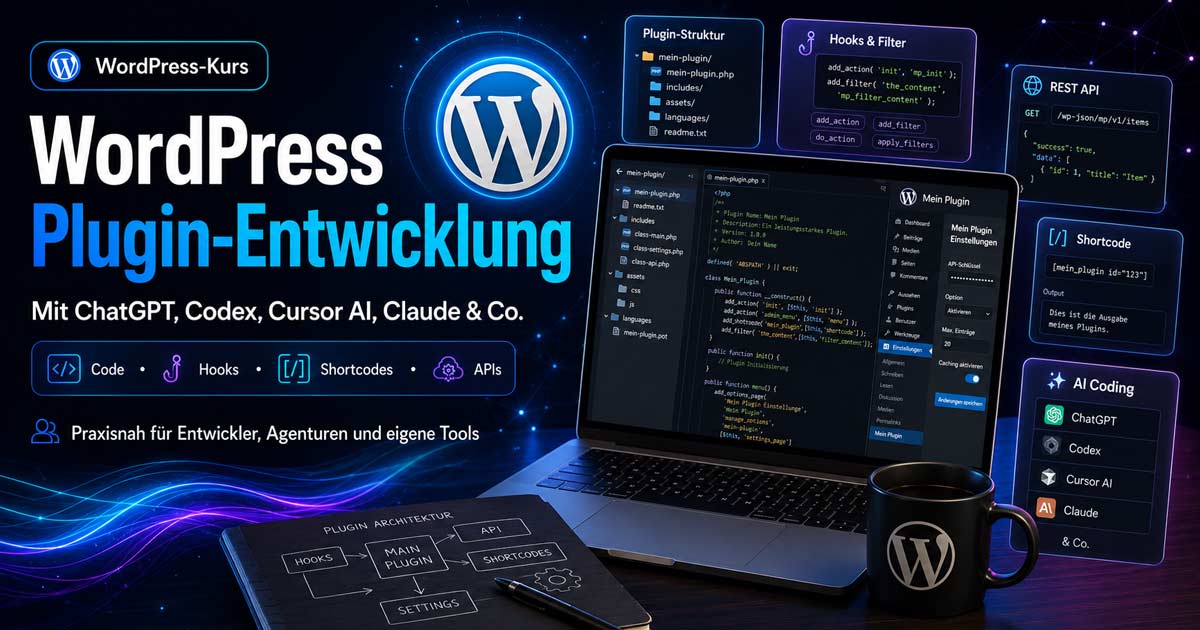
WordPress Plugin Development with Cursor AI, Codex, and More
Plugins transform your ideas into reusable tools. It's much simpler than many believe. Become a pro at using AI and Cursor AI.
Your WordPress and AI Expert
Johann Dirschl
Two WordPress Courses – A Common Thread
PHP, Hooks, Shortcodes, REST, Admin, Security, Releases – with AI workflow and real-world examples.
Who is this Course For?
For anyone with WordPress fundamentals who wants to build their own extensions: web designers, agencies, freelancers, entry-level developers, or career changers with a technical affinity.
You don't need to be a senior developer – but you must be willing to read code, test, and systematically resolve errors.
Prerequisites
Recommended: the WordPress Fundamentals Course or comparable experience with backend, plugins, and Divi.
Helpful additions: AI Courses for prompts, API usage, and secure handling of AI in programming.
Not pure copy-paste: AI provides drafts – understanding, security, and quality control remain your responsibility.
What You Will Learn in This Course
- Structure and file organization of a WordPress plugin
- Actions, Filters, Shortcodes, Admin Pages, and Settings
- REST API, AJAX, Database Tables, and Options
- Security: Nonces, Capabilities, Escaping, Sanitizing
- Frontend with JavaScript and CSS – cleanly integrated
- Local development with Docker, WP-CLI, and deploy workflows
- AI-powered development with Cursor, ChatGPT, Codex & more
- Updates, versioning, readme.txt, and publishing
AI Workflow: Cursor, ChatGPT, Codex, and More
Modern plugin development uses AI as a sparring partner – not as a black box.
Typical Use Cases
- Cursor / IDE with Agent – Understand codebase, refactoring, tests, debugging in the project
- ChatGPT / Claude / Gemini – Concepts, hook names, explanations, documentation, code reviews
- Codex / Copilot – Autocompletion, boilerplate, recurring patterns
- AI + WP-CLI – Suggest commands, check data, quick diagnosis
Recommended Workflow
- Clearly define requirements (What should the plugin do? Who will use it?)
- Outline the structure (main file, includes/, assets/, readme)
- Use AI for the draft – then review line by line
- Test locally, check edge cases and security
- Increment version, maintain changelog, deploy
Rule: Do not share API keys or customer data in public chats. Use local tests, anonymized examples, and business plans for company projects.
Development Environment: Docker, Local WordPress, WP-CLI
Professional development does not happen directly on the live server. A local setup with docker compose, editable wp-content/plugins/, and WP-CLI accelerates every cycle: activate plugin, clear cache, set options, check database.
In this course, we demonstrate the workflow we use ourselves: local site, scripts for deployment, clearing cache, Divi cache, URL replacement after import – and targeted uploading of only changed plugin files.
Plugin Structure and Bootstrap
A plugin starts with a main file and plugin headers (name, version, text domain). Larger plugins split logic into includes/, assets into assets/css and assets/js, and languages into languages/.
register_activation_hook/register_deactivation_hook- Autoloading or targeted
require_once - Constants for version and paths
readme.txtfor WordPress.org or internal documentation
Hooks: Actions and Filters
WordPress is extended via hooks – the core of all plugin development.
- Actions – to execute something (e.g.,
init,admin_menu,wp_enqueue_scripts) - Filters – to modify values (content, URLs, settings)
- Custom hooks for modular extensions
Practical examples: registering an admin menu, loading scripts only on plugin pages, filtering content before output.
Admin Pages, Settings, and the Options API
Plugins often require settings pages under Settings or their own top-level menu. The Settings API structures fields, sections, and sanitizing.
Topics in the course: tabs, saving via button, validation, default values, tips for editors, and separating „technical“ from „content.“
Shortcodes, Blocks, and Frontend Output
Many DIRSCHL plugins provide shortcodes for Divi and classic content – e.g., Google Reviews, Link Preview, Social Feed, galleries, music players, or game catalogs.
add_shortcode()with attributes and defaults- Enqueue CSS/JS only when the shortcode appears on the page
- Accessibility, responsive layout, lazy loading
- Optional: Block editor integration for modern themes
REST API, AJAX, and Data
For dynamic interfaces: custom REST routes with register_rest_route, permissions callbacks, and validated parameters. Alternatively, admin-ajax.php for classic admin interactions.
For larger data volumes: Custom Tables vs. Post Meta vs. Options – with a focus on performance and migration. Examples: Media Manager, Reference Hub Import, Games Catalog.
Security and Quality
current_user_can()– only authorized roles- Nonces for forms and AJAX
esc_html,esc_attr,wp_ksesfor outputsanitize_text_fieldand appropriate sanitizers for input- No secrets in the frontend, API keys only server-side
AI-generated code often bypasses security – always check manually.
Product Readiness: Hub, Updates, and Licenses
Individual plugins are just the beginning – a hub like the DIRSCHL Plugin Suite bundles installation, licenses (e.g., Lemon Squeezy), update servers, and documentation pages.
In the course: versions in plugin headers and update JSON, release ZIPs, changelogs, Free vs. Premium, and how product pages interact with shortcode demos.
Practical Examples from the DIRSCHL Plugin Suite
In the course, we analyze specific plugins – from small utilities to the full suite:
Shortcode, Places API, lightweight frontend.
Path rules, floating buttons, low overhead.
Open Graph, screenshots, carousel shortcodes.
API integration, feeds, WP-CLI diagnostics.
SEO galleries, REST, performance.
Media workflows, find incomplete images.
Player, SEO, virtual pages, CSS hooks.
Modular games, catalog, custom update path.
AI structure for Divi & WordPress content.
Import, filters, portfolio logic.
503 maintenance mode, bypass for admins.
Licenses, updates, product registry.
All plugins and live demos: Plugin Overview
Release, Deploy, and Maintenance
A plugin continues to evolve after its initial release: bug fixes, WordPress compatibility, new hooks.
- Semantic versioning (e.g., 2.1.0)
- Changelog in readme.txt and on the product page
- Backup before updates – local and live
- Deploy via rsync/SSH or tarball – changed files only
- After deploy: Clear cache, smoke test in backend and frontend
Course Objective
You will be able to plan your own WordPress plugin, implement it with AI support, securely integrate and publish it – and understand how professional plugins like the DIRSCHL Suite are structured.
The result is not an anonymous tutorial plugin, but a realistic workflow: develop locally, test, document, deliver, and maintain.
Book Plugin Development
Individual course, combination with WordPress basics, or company workshop with your project – including AI workflow and insights into real codebases.